Website
Find the websites tied to a company and read a single website's core configuration.
Find your website unique ID
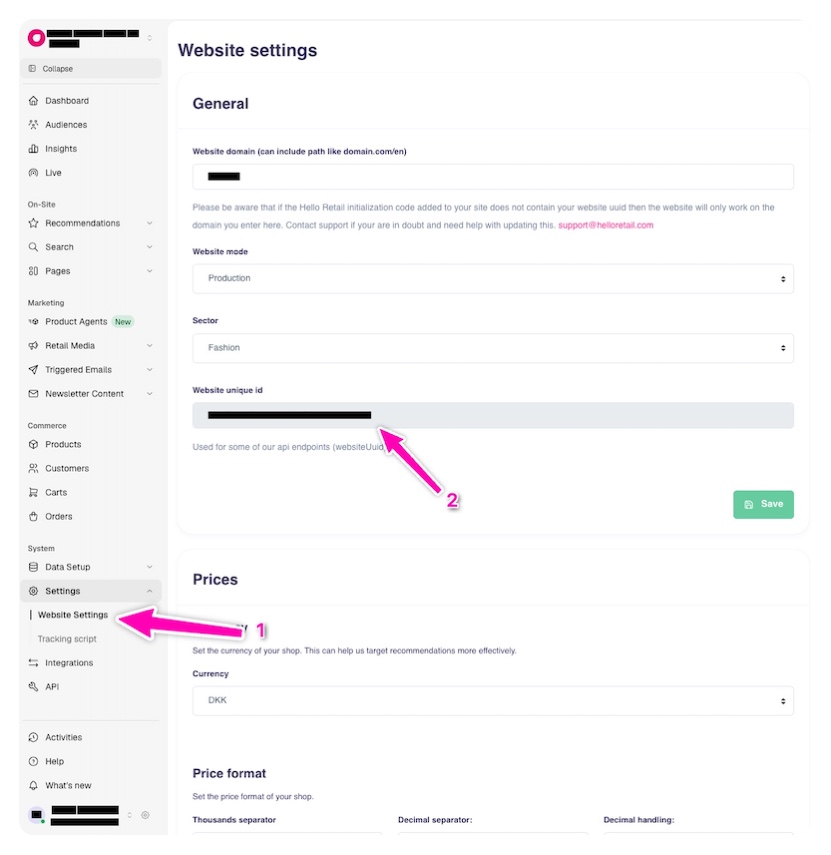
Most MCP tools need your website unique ID, also called the website UUID or websiteUuid. To find it, sign in to My Hello Retail and select the website you want to work with.
- In the sidebar, open Settings → Website Settings.
- Under General, copy the value in the Website unique id field.
Give this ID to your assistant when working with your website, or use it as the websiteUuid parameter when calling tools directly.
Tips & tricks
Pick the card that matches what you're doing. Each prompt is ready to paste into your assistant.
Start every other tool here
website_listForCompany returns the website UUID that almost every other tool needs as input.
Tracking domain and currency
website_getInfo reports a site's tracking domain and currency, which set the context for its analytics.
website_getInfo
Get configuration (company ID, language and currency) for a Hello Retail website, by its UUID.
| Name | Type | Required | Description |
|---|---|---|---|
websiteUuid | string | Yes | The website's UUID. Find it in my.helloretail.com under Settings → Website Settings → Website Unique Id. |
Example request & response
website_listForCompany
List all websites for a Hello Retail company, by its company ID.
| Name | Type | Required | Description |
|---|---|---|---|
companyId | integer | Yes | The company ID. |
Finding your company ID
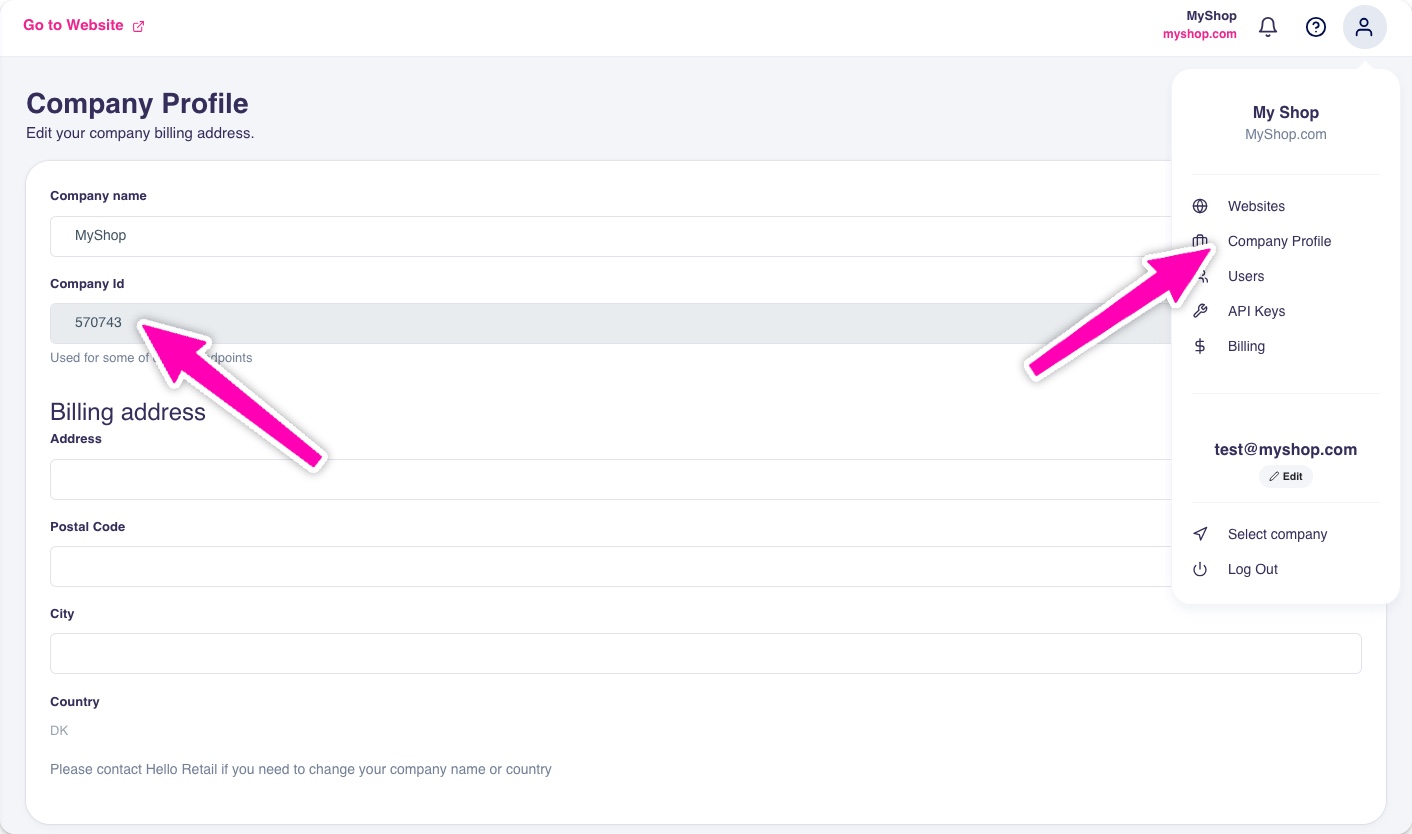
In My Hello Retail, click the profile icon in the top-right corner and choose Company Profile. Your company ID is shown in the Company Id field.